Hair Salon CRM Software: Top Picks & Must-Haves
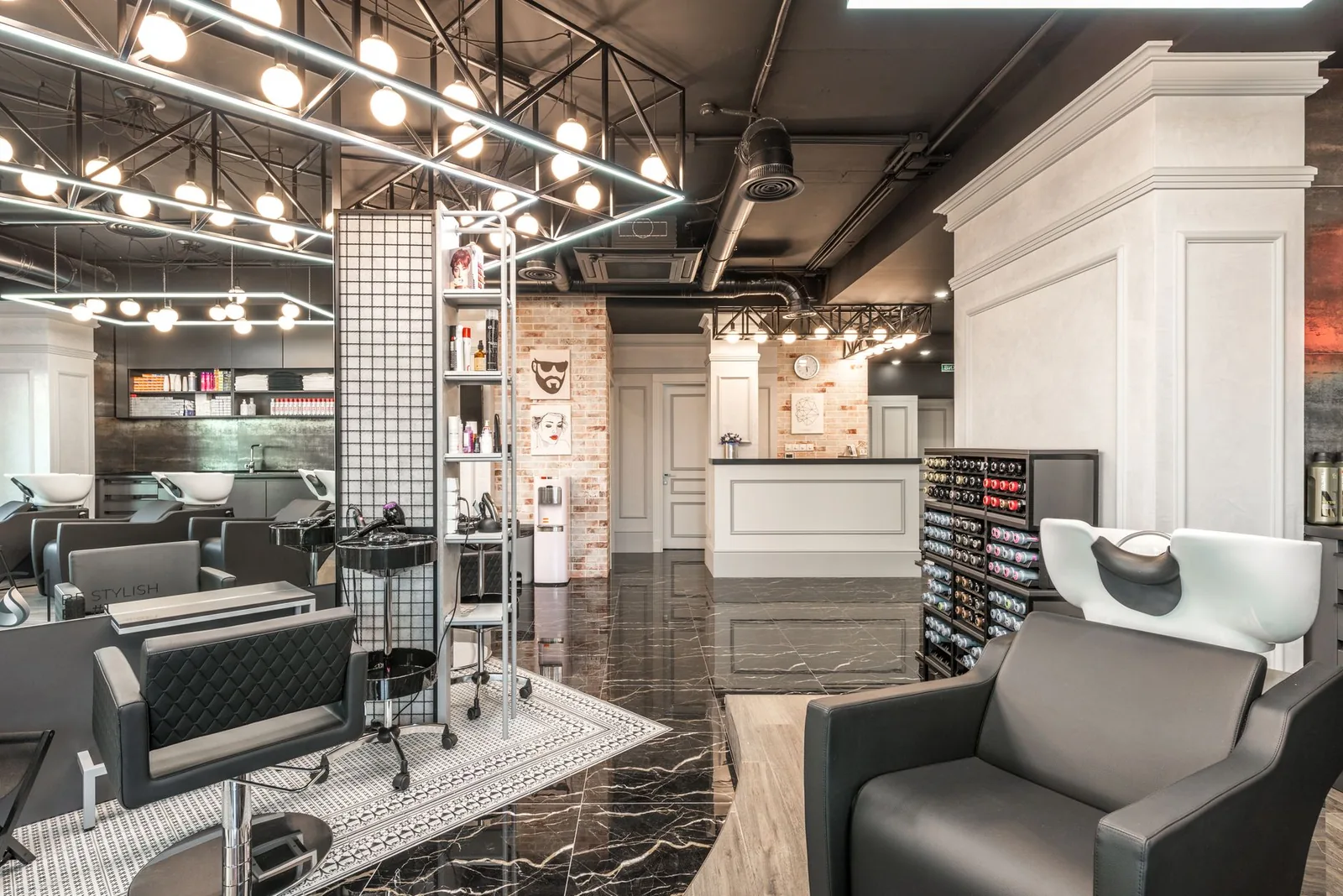
Walk into a busy salon at 10 AM on a Saturday and you'll see the same scene everywhere: the front desk phone ringing, a client at the counter waiting to rebook, and a stylist mid-color who needs to know if her 11:30 confirmed. Somewhere in that chaos, a regular's birthday slips by unnoticed, and a client who hasn't been in for four months never gets a follow-up. That's not a staffing problem — that's a CRM problem.
A hair salon CRM (client relationship management) tool is the brain behind the chair. It remembers what color formula you used on Sarah last March, pings Marcus before he forgets his Tuesday haircut, and tells you which clients are quietly slipping away. Below is a working salon owner's guide to what a hair salon CRM actually needs to do, how the top tools compare, and how to pick one that fits your shop.
What a Hair Salon CRM Actually Does (and Why It's Not Just a Calendar)
A hair salon CRM is the client database at the center of your booking, history, communication, and loyalty — not just a calendar with names attached. The calendar is the front; the CRM is the long memory of your business: who they are, what they get, what they paid, what they liked, and when they last walked in.
For a working salon, that translates into five jobs the software has to do well:
- Store a full client profile — contact info, service history, formula notes, allergies/sensitivities the client has told you about, photos, preferences, no-show count.
- Tie history to booking — when a client books online or you book them in, their history is one click away.
- Communicate automatically — confirmations, reminders, rebook nudges, birthday messages.
- Segment clients — find everyone who hasn't booked in 90 days, or all balayage clients, or all of one stylist's regulars.
- Report on the relationship — retention rate, average visit value, frequency per stylist.
According to the U.S. Bureau of Labor Statistics, there are roughly 750,000 barbers, hairstylists, and cosmetologists working in the U.S. — a huge, mostly small-business industry where client retention is the single biggest lever on revenue. Industry surveys from salon associations have consistently put the cost of acquiring a new client at several times the cost of keeping one, which is why the CRM side of salon software matters more than the booking widget on your homepage.
The Must-Have Features (In Order of How Much Money They Make You)
If you're evaluating tools, judge them on these in roughly this order. Anything missing toward the top is a deal-breaker.
1. Real-time online booking tied to staff availability. Clients should be able to book at 11 PM on a Sunday against the actual calendar — not a request form a human has to confirm Monday morning. A 2023 study by GlobalData/American Express on consumer behavior found a strong majority of appointment-based service customers prefer to book online when given the option. If your software requires a phone call, you're losing those clients to a salon down the street that doesn't.
2. Client database with visit history and notes. Every client profile should show: every past appointment, the service performed, the stylist, the price paid, and a free-text notes field. For color clients, that notes field is the formula. For a regular's regular, it's "doesn't like small talk in the morning." This is the part of the CRM that compounds in value over years.
3. Automatic SMS + email reminders. No-shows are the single most preventable revenue leak in a hair salon. Industry data from various salon technology providers puts the typical no-show rate without reminders in the 10–20% range, and reminders cut that meaningfully. Two-touch is the sweet spot: a confirmation when they book, a reminder 24–48 hours before.
4. Waitlist / last-minute fill. A cancelled 2-hour balayage at $200 is $200 gone unless the slot refills. A waitlist that automatically pings clients who wanted that window turns cancellations into revenue.
5. Per-stylist calendars with services, hours, and pricing. A multi-chair salon needs each stylist's own working hours, services they actually perform, and their own prices. A junior stylist shouldn't be bookable for $300 corrective color.
6. Loyalty. Automatic rewards based on visit history — points, free add-ons, milestone gifts. The goal isn't to "gamify"; the goal is to give a regular a reason to keep choosing you over the salon that opened across the street.
7. Reports that tell you what's happening. Revenue per stylist, bookings per service, retention rate, busy hours, deadweight days. If the software can't tell you which Tuesday is dead and which stylist has a 90% rebook rate, you're flying blind.
8. Multiple locations (if you're growing). One login, one client list, separate calendars.
Top Hair Salon CRM Picks: How They Compare
There's no "best" — there's "best for your shop." Here's an honest read on the most-used options in the U.S./UK/CA/AU market.
| Tool | Best for | Pricing model | Watch out for |
|---|---|---|---|
| Stylera | Independent stylists, single-location salons, growing multi-chair shops that want booking + CRM + reminders in one | Subscription | Newer name vs. legacy players |
| Fresha | Owners who want zero monthly fee and accept a per-booking commission on new clients | Free software + fees on online bookings & card processing | The "free" math changes once your online booking volume grows |
| Vagaro | Mid-size salons that also want a marketplace + POS hardware | Tiered subscription based on staff count | Add-ons (text marketing, branded app, etc.) stack up |
| Booksy | Barbershops with strong walk-in/discovery culture | Subscription, with marketplace exposure | UI is heavier on marketplace than on owner workflow |
| Square Appointments | Solo stylists already on Square POS | Free tier for solo, paid for teams | CRM depth is lighter than salon-specific tools |
| GlossGenius | Solo and small-team stylists who want a polished brand-forward look | Flat subscription | Less flexibility for larger multi-chair operations |
A few honest notes:
- Fresha's commission model (a percentage on new-client online bookings, plus card processing) is genuinely cheaper than a subscription up to a point. Past that point, the math flips. Run your own numbers on expected online booking volume before you choose.
- Vagaro and Booksy both have strong marketplaces, which is a double-edged sword: you get discovery, but your clients also see your competitors when they open the app to book you.
- Square Appointments is excellent if you're a solo stylist already using Square for payments; it's underpowered as a multi-stylist CRM.
- Stylera is built around the salon owner's workflow first — online booking, deep client history, automatic reminders, waitlist, staff/service management, loyalty, and reports in one place, without a marketplace pulling clients in different directions.
How to Actually Pick One (a 5-Step Test)
Most owners pick software based on a demo and a feeling. Here's a more reliable method.
Step 1: Write down your top three problems. Not features — problems. "I lose two appointments a week to no-shows." "I can't tell which stylists are profitable." "Clients can't book after 7 PM and they don't call back." Score each tool against those.
Step 2: Import a real client list. Most tools let you trial with your actual data. A CRM that chokes on 800 existing clients with messy phone numbers is going to choke when you grow.
Step 3: Book yourself a fake appointment from the public booking page. Then cancel it. Then rebook. How many taps? Did the reminder land? Did the cancel slot get offered to someone else? This 10-minute test tells you more than a sales call.
Step 4: Find the reporting tab. If you can't, in under a minute, see revenue per stylist for last month and the list of clients who haven't booked in 90 days, the CRM is shallower than it looks.
Step 5: Check the exit door. Can you export your client list as a CSV? If not, you don't own your client data — the software does. Walk away.
Three Real Salon Scenarios
The independent stylist with a chair rental. You don't need staff scheduling, multi-location, or a front desk. You need a clean booking page you can put on Instagram, automatic reminders so you stop chasing confirmations on your phone between clients, and client notes so you remember formulas. A solo-tier tool is plenty — don't pay for features you won't use.
The 6-chair neighborhood salon. You need per-stylist calendars, a service menu where each stylist has their own services and prices, reminders, a waitlist for the in-demand stylists, and reports that show you who's pulling weight. You also need a CRM strong enough that any stylist can pick up a regular if their usual person is out sick.
The barbershop with walk-ins and regulars. Your CRM job is different: you need fast check-in for walk-ins, but you also want to convert walk-ins into rebookings. A short, friendly post-visit text — "thanks, here's a link to book next time" — is worth more than any marketing campaign. The CRM should make that automatic.
Common Mistakes Owners Make With Salon CRMs
- Treating it as a calendar only. If you're not using notes, history, and segmentation, you're paying for 30% of the tool. Block an hour a month to review your client list.
- Letting client data get messy. Two profiles for the same person, no last names, no phone numbers — that's an unusable database. Set a standard on day one.
- Skipping the reminder customization. Generic "You have an appointment" texts get ignored. Use the stylist's name, the service, the time, and a one-tap reschedule link.
- Ignoring the 90-day report. Every salon has a quiet list of clients who used to come every 6 weeks and just… stopped. A simple "we miss you, here's 15% off your next visit" text recovers a meaningful share of them. Almost no one does it.
- Not training the team. If only the owner knows how to use the software, the CRM dies the day the owner takes a vacation.
Where Stylera Fits
Stylera is a salon-focused CRM and booking system in one — built for the way hair salons actually run. The 24/7 public booking page is tied to real-time per-stylist availability, so clients book themselves into slots that are actually open. Each client gets a full profile with visit history, services, preferences, and notes, so when Marcus walks in for his Tuesday cut, his stylist already knows he doesn't want the sides too short. Automatic SMS and email reminders go out before each appointment, and when someone cancels, the slot is offered to the waitlist instead of sitting empty.
For multi-chair shops, each stylist has their own services, hours, and schedule, with reports showing revenue and bookings per stylist. Loyalty rewards work automatically off visit history, and if you run more than one location, you can manage all of them from one account. It's the boring infrastructure that makes the chair-time more profitable — without the marketplace noise.
The salon owners who win at retention in the next five years won't be the ones with the flashiest Instagram — they'll be the ones whose software remembers every client better than the client remembers themselves. Pick the CRM that fits your shop, set it up properly, and use the data it gives you.
If you want to see how Stylera handles your client list and your booking page, start a free trial at stylera.io/register and run the 10-minute test above on your own salon.
Frequently asked questions
What is a hair salon CRM and how is it different from a booking calendar?
A hair salon CRM (client relationship management) system is the central client database that powers your booking, service history, communication, and loyalty programs — not just a calendar with names attached. While a calendar only shows who's coming in and when, a CRM remembers each client's color formulas, service history, preferences, allergies, payment history, and visit frequency. It also automates reminders, segments clients (like those who haven't booked in 90 days), and reports on retention and revenue. In short, the calendar is the front-end; the CRM is the long-term memory of your business.
What features should I look for when choosing hair salon CRM software?
Prioritize features based on how much revenue they generate: real-time online booking tied to live staff availability, a client database with visit history and free-text notes (essential for color formulas), and automatic SMS plus email appointment reminders. Next, look for a waitlist feature that auto-fills cancellations, per-stylist calendars with individual services and pricing, and a loyalty program that rewards repeat visits. Finally, ensure the software offers meaningful reports — revenue per stylist, retention rate, rebook rate — and multi-location support if you plan to grow. If a tool is missing the top items, it's a deal-breaker.
How much can automatic appointment reminders reduce no-shows at a hair salon?
No-shows are the single most preventable revenue leak in a salon, and industry data from salon technology providers puts the typical no-show rate without reminders in the 10–20% range. Adding automated SMS and email reminders cuts that rate meaningfully, often by half or more. The sweet spot is a two-touch approach: a confirmation when the client books and a reminder 24–48 hours before the appointment. For a busy salon, this alone can recover thousands of dollars in monthly revenue.
Which hair salon CRM is best for a small or independent salon?
There's no universal "best" — the right choice depends on your shop's size and model. Stylera works well for independent stylists, single-location salons, and growing multi-chair shops that want booking, CRM, and reminders bundled together on a subscription. Fresha appeals to owners who prefer no monthly fee but accept commissions on new online bookings and card processing fees. Vagaro suits mid-size salons that also want POS hardware, while Booksy is popular with barbershops that benefit from its marketplace exposure. Evaluate based on your booking volume, staff count, and whether you value marketplace discovery or owner workflow.
Why is client retention more important than new client acquisition for salons?
Industry surveys from salon associations have consistently shown that acquiring a new client costs several times more than keeping an existing one, making retention the single biggest lever on salon revenue. With roughly 750,000 barbers, hairstylists, and cosmetologists working in the U.S. according to the Bureau of Labor Statistics, competition is fierce and clients have plenty of alternatives nearby. A strong CRM helps retention by storing detailed client preferences, automating birthday and rebook messages, flagging clients who are slipping away, and powering loyalty rewards. That's why the CRM side of salon software matters more than the booking widget on your homepage.