The Best Barbershop Software With POS Features in 2026
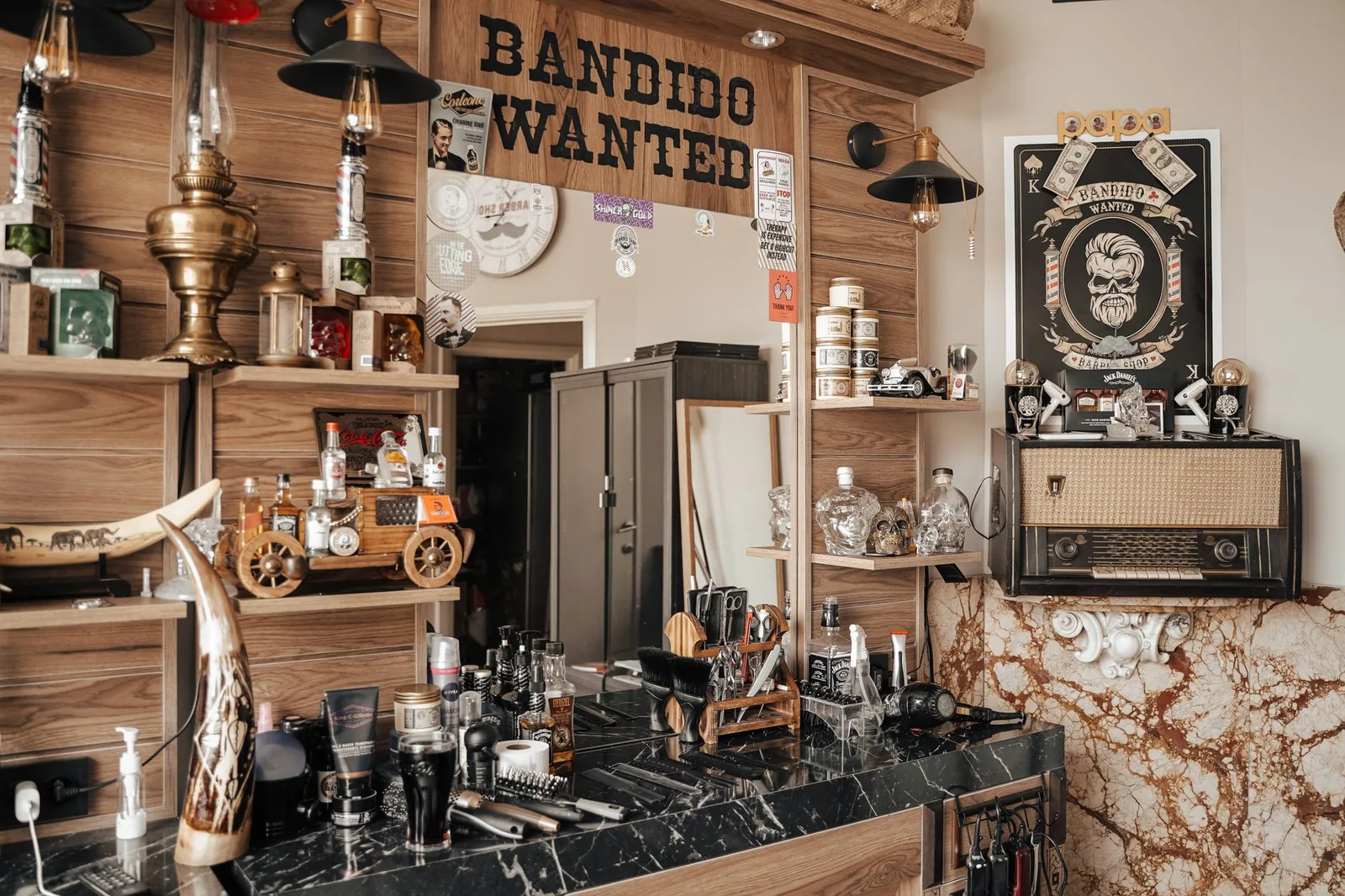
Three chairs full, two guys waiting, the phone won't stop ringing, and you're holding a card reader in one hand and clippers in the other. That's the moment most barbershop owners realize their setup isn't working. You don't need a giant retail platform — you need barbershop software that handles booking, checkout, and client history without making you click through ten screens between cuts.
This is an honest look at what to demand from barbershop software with POS features in 2026, which platforms are worth a serious trial, and where each one tends to fall short.
What "POS features" actually means for a barbershop
For a barbershop, a POS isn't a retail register with 4,000 SKUs. It's the checkout flow that closes the appointment, takes payment, splits tip, attaches the sale to the right barber, and updates the client's history — all in under 30 seconds while the next guy is already in the chair. If your software forces you to switch apps or re-enter the service to take payment, that's not a POS, that's friction.
Here's the practical checklist most chair-based shops need:
- One-tap checkout from the appointment — the service, price, and barber are already attached.
- Tip handling on the card reader — barber-specific, not pooled by accident.
- Card-present and card-on-file options, so a no-show fee or deposit is enforceable.
- Walk-in support — start a ticket without a pre-booked appointment.
- Simple product sales — pomade, beard oil, a t-shirt. You don't need full inventory accounting, but you do need to ring it up and tie it to the barber's daily sales.
- Per-barber daily close-out — so commissions and booth rent reconcile cleanly.
- Reports that separate service revenue from product revenue and break it down per chair.
If a platform sells you on POS but you can't do those nine things without a workaround, it's not built for a barbershop.
What to look for in barbershop software in 2026
Before naming platforms, line up your shop against this list. The right software for a one-chair operation isn't the same as the right software for a six-chair shop with a front desk.
1. Real-time online booking tied to each barber's calendar. Clients want to pick their guy and their time without calling. The booking page should respect each barber's hours, services, and buffer times, and it should never offer a slot that creates a double-booking.
2. A client database that actually gets used. Visit history, notes ("0.5 on sides, scissor on top, no spray"), preferred barber, last service. If you're flipping through a paper book to remember a cut from three months ago, you're losing the personal touch that keeps guys coming back.
3. Automatic reminders by SMS and email. No-shows kill barbershops more than slow weeks. A 24-hour reminder with a one-tap cancel link will measurably cut your no-show rate. If your reminders force the client to call to cancel, they just won't show up.
4. Waitlist and last-minute openings. Cancellations are inevitable. The question is whether that 3:00 slot gets filled by a guy on the waitlist or sits empty for 45 minutes while you scroll your phone.
5. Staff and services management with per-barber pricing. Senior barbers charge more. The system should let each barber have their own service menu, pricing, and schedule without you rebuilding everything.
6. Reports per barber, per chair, per service. Who's booked solid? Who's got holes? Which service is most profitable? Without these numbers, you're managing on vibes.
7. Multi-location support, if you have it (or plan to). Even if you're a one-shop operation now, picking software that can grow with a second location later is cheaper than migrating in two years.
The best barbershop software with POS features in 2026
Here are the platforms most barbershop owners shortlist, with honest notes on where each fits and where it doesn't. The right pick depends on your size, your payment processor preference, and how much front-desk work you want the software to absorb.
Stylera
Stylera is built for hair and beauty businesses, which includes barbershops. The booking page is public and 24/7, tied to real-time barber availability. The client database keeps a full profile per client — visit history, services, preferences, notes — which matters for a barbershop where regulars expect you to remember exactly how they like it. Automatic SMS and email reminders cut no-shows. The waitlist fills cancelled slots so the chair doesn't sit empty.
Where Stylera fits well: independent barbers managing their own books, multi-chair shops that need per-barber scheduling and reports, and owners moving off a paper book or a basic calendar app. Reports cover revenue, bookings, and per-stylist performance — the numbers you actually use to run the place. It also supports multiple locations from one account.
What to confirm in trial: walk through your exact checkout flow with a card-present transaction and a product add-on, and make sure the daily close-out per barber gives you the breakdown you need.
Square Appointments
Square is the default many barbers land on because the POS hardware and payment processing are familiar. Booking, calendar, and payment are tied together, and the card reader experience is solid. Reports are clean.
Where it fits: a single barber or small shop that's already using Square for payments and wants the simplest possible booking layer on top.
Where it falls short for barbershops: the client database is functional but light on the stylist-style notes and history that a relationship-driven shop relies on. Multi-barber commission and booth-rent reporting often needs a workaround.
Booksy
Booksy has heavy brand recognition in the barber world, with a consumer-facing app that some shops like because clients discover them through the marketplace.
Where it fits: barbers who want the marketplace exposure and don't mind the trade-offs.
Where it falls short: the marketplace cuts both ways — your clients can see other barbers, and you pay for that exposure. POS and payments work but transaction fees and the cost stack add up. Read the current fee schedule carefully before committing.
Vagaro
Vagaro is broader — salons, spas, fitness — with a deep feature set and its own POS hardware. For a busy multi-chair shop, the feature depth is real.
Where it fits: larger shops that want one platform for booking, POS, payroll-style reporting, and marketing.
Where it falls short: the depth can be overkill for a 1-2 chair barbershop, and the learning curve is steeper than the alternatives. You'll pay for modules you don't use.
Fresha
Fresha leads on a "free to use, pay per transaction" pricing model. The booking and calendar are polished.
Where it fits: shops happy to use Fresha's payment processing and live with marketplace-style upsells (the platform pushes paid features and add-ons).
Where it falls short: you're tied to their payment processor to get the "free" pricing, and the per-transaction fees are how they make their money. Do the math on your monthly card volume before assuming free is cheaper.
GlossGenius
GlossGenius targets independent stylists and barbers with a clean mobile-first design and built-in payments.
Where it fits: a solo barber who wants something that looks and feels modern without much setup.
Where it falls short: less suited to multi-barber shops with commission splits, booth-rent setups, and per-chair reporting needs.
Quick comparison
| Platform | Best for | Watch out for |
|---|---|---|
| Stylera | Independent and multi-chair shops wanting booking + client history + reports in one place | Confirm your checkout flow in trial |
| Square Appointments | Single barbers already on Square | Lighter on client notes; multi-barber reporting |
| Booksy | Shops wanting marketplace exposure | Marketplace shows competitors; fee stack |
| Vagaro | Larger shops needing depth | Overkill and learning curve for small shops |
| Fresha | Shops fine with their payment processor | "Free" depends on payment volume math |
| GlossGenius | Solo independent barbers | Less fit for multi-barber operations |
How to trial barbershop software without wasting a week
Most owners install a platform, poke at it for an afternoon, get distracted by a busy Saturday, and never actually test it. Do this instead — block 90 minutes on a slow Tuesday and run a real scenario.
Step 1: Set up one barber and three services. Use real services with real prices. Set working hours. Add a 5-minute buffer.
Step 2: Book yourself as a client through the public booking page. Use your phone, on cellular, not on the shop wifi. Time it. If it takes more than 60 seconds from "open link" to "booked," your clients will bounce.
Step 3: Trigger the reminder. Most platforms let you preview or send a test SMS. Look at the wording. Does it sound like your shop? Can the client cancel in one tap?
Step 4: Run a full checkout. Walk in, check in the appointment, add a product (a $20 pomade), apply a tip, run a real card. Then go look at the report. Did the service, product, and tip land where you expected? Is it attached to the right barber?
Step 5: Cancel the appointment and check the waitlist behavior. Does the slot reopen on the public booking page? Does anyone on a waitlist get offered the slot?
Step 6: Pull yesterday's reports. Per barber, per service, total. Can you read them without a manual?
If a platform survives those six steps with no manual lookups, it's a real candidate. If you hit a wall on step three, save yourself the migration pain.
Common mistakes barbershop owners make picking software
Picking based on the demo. Demos are choreographed. Always trial with your real services, prices, and at least one real client.
Underestimating the cost of switching processors. If you're locked into a payment processor through the software, leaving means changing both. Look at the exit door before walking in.
Ignoring the client experience. Owners obsess over the back-end calendar and forget that 80% of the value is whether clients can book in 30 seconds on their phone. Test the booking flow as a client first, always.
Not setting up reminders properly. A 1-hour reminder is useless — the client is already either coming or not. The useful reminder is 24 hours out, with a cancel link. If you don't enforce a clear cancel policy, the reminder won't save you.
Treating reports as optional. If you're not looking at per-barber revenue and booking density weekly, you're not running the shop, the shop is running you.
How Stylera helps
For a barbershop, Stylera covers the parts that actually move the needle: a public 24/7 booking page tied to each barber's real-time availability, a calendar that respects working hours and avoids double-bookings, automatic SMS and email reminders that cut no-shows, and a waitlist that fills cancelled slots before the chair goes cold. Each client has a full profile — visit history, services, notes — so even a barber covering for someone else can see "0.5 on sides, scissor on top" before the guy sits down.
On the operations side, you get per-stylist reports on revenue and bookings, a service menu with per-barber pricing and hours, automatic loyalty rewards based on visit history, and multi-location support if you run more than one shop. The point isn't to add another app to your day — it's to take the front desk off your plate so you can stay focused on the chair.
The best barbershop software in 2026 isn't the one with the longest feature list — it's the one your barbers will actually use on a busy Saturday without complaining. Shortlist two or three, run the six-step trial above on each, and pick the one that disappears into the background while the chairs stay full.
Start your free Stylera trial → stylera.io/register
Frequently asked questions
What POS features does a barbershop actually need in 2026?
A barbershop POS should close the appointment, take payment, handle tips per barber, and update client history in under 30 seconds — not act like a retail register with thousands of SKUs. Essential features include one-tap checkout from the appointment, barber-specific tip handling on the card reader, card-on-file for deposits and no-show fees, walk-in ticket support, and simple product sales tied to the barber's daily total. You also need per-barber daily close-out so commissions and booth rent reconcile cleanly, plus reports that separate service from product revenue per chair. If a platform forces you to switch apps or re-enter the service to take payment, it's not built for a barbershop.
How do I choose the right barbershop software for my shop size?
The right software for a one-chair operation isn't the same as for a six-chair shop with a front desk, so match the platform to your scale. Solo barbers need simple booking, payments, and a client database, while multi-chair shops need per-barber scheduling, per-barber pricing, commission reporting, and a waitlist to fill cancelled slots. Look for real-time online booking tied to each barber's calendar, automatic SMS and email reminders, and reports broken down per barber, per chair, and per service. Even if you're a single location now, picking software that supports multi-location is cheaper than migrating in two years.
Is Square Appointments good for a multi-barber shop?
Square Appointments works best for a single barber or small shop already using Square for payments that wants a simple booking layer on top. The card reader experience and reporting are solid, and booking, calendar, and payment are tied together cleanly. However, for multi-barber shops it tends to fall short — the client database is light on the detailed cut notes and history that relationship-driven shops rely on, and multi-barber commission or booth-rent reporting often requires workarounds. If you run more than two chairs with per-barber pricing and commission splits, you'll likely outgrow it.
How can I reduce no-shows at my barbershop?
No-shows kill barbershops more than slow weeks, and the single most effective fix is automatic SMS and email reminders sent 24 hours before the appointment, with a one-tap cancel link. If your reminder system forces clients to call to cancel, they often just won't show up at all. Enforcing deposits or no-show fees via card-on-file is another strong deterrent, especially for new clients or peak slots. Pair reminders with a waitlist feature so any cancellations get filled automatically instead of leaving the chair empty for 45 minutes.
What's the difference between Stylera and Booksy for barbershops?
Stylera is built for hair and beauty businesses and focuses on giving the shop owner control — public 24/7 booking tied to real-time barber availability, detailed client profiles with visit history and preferences, per-barber scheduling, waitlist, and multi-location support from one account. Booksy has strong brand recognition in the barber world and a consumer-facing marketplace app where new clients can discover your shop. The trade-off is that marketplace platforms can prioritize their ecosystem over your direct client relationships, while Stylera keeps the booking flow and client data fully under your brand. Choose based on whether you want marketplace discovery or owner-controlled operations and reporting.