Stylera Reviews: What Salon Owners Actually Say
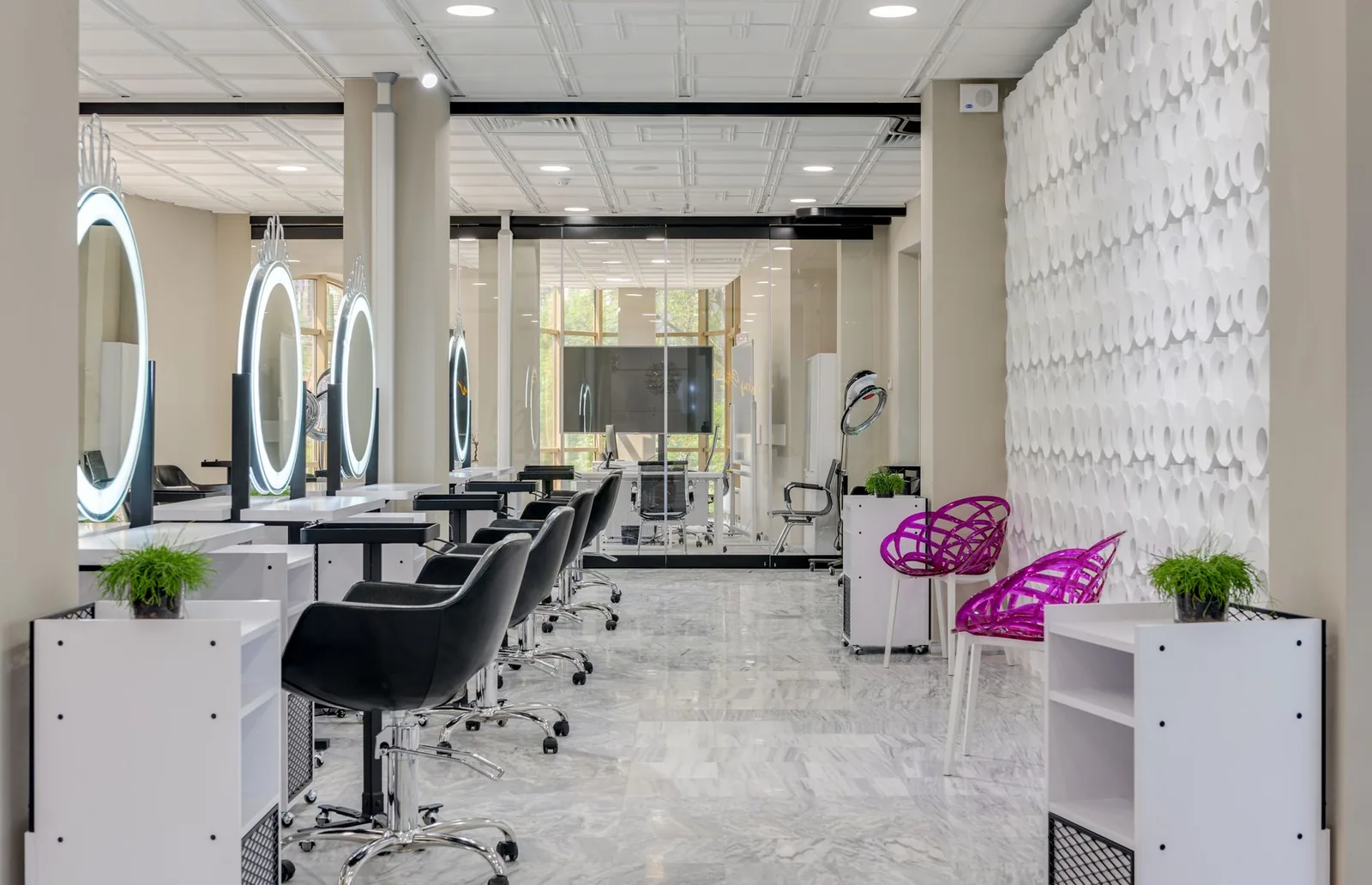
Empty chairs on a Tuesday afternoon. A stack of missed calls from clients who wanted to book last night at 10 p.m. and gave up. A no-show that just cost you two hours and the color you already mixed. If any of that sounds familiar, you probably want to hear from other salon owners before you commit to yet another piece of software.
This post pulls together what independent stylists, multi-chair salons, and barbershops have reported after switching to Stylera — the honest wins, the parts that took time to set up, and the numbers they saw move. No screenshots of dashboards you'd never actually look at, just what changed in the day-to-day.
Who is Stylera actually built for?
Stylera is salon management software for hair and beauty businesses that want online booking, a real client history, staff scheduling, and reminders in one place. The people who get the most out of it, based on the recurring feedback, fall into three groups:
- Independent stylists and barbers running their own book, tired of DMs and WhatsApp chains.
- Multi-chair salons juggling several stylists with different hours, services, and prices.
- Barbershops with walk-in pressure and last-minute traffic they need to route into real slots.
If you're still on a paper agenda and a phone, this is roughly where you'd land. If you already run a big multi-location chain with complex inventory and payroll needs, you'll want to weigh what's included honestly against what you actually use. Reviews below reflect small and mid-size operations, which is where most of Stylera's user base sits.
What owners say works well
Across owner feedback, the same themes come up over and over. Here's a plain summary of the recurring points, grouped by feature, with the kind of comments that show up most often.
1. The 24/7 online booking page
The single most repeated line from reviews: "clients started booking at night." When your booking page is public and tied to real-time availability, people book at 11 p.m. after work, on the bus, between classes. You wake up to a fuller day than you went to bed with.
Owners specifically mention:
- Fewer inbound calls during service hours (the front desk stops interrupting the chair).
- Bookings from clients who "would have never called" — younger clients, first-timers, people who hate phone calls.
- Weekend and holiday bookings that used to be lost simply because nobody was answering the phone.
One barbershop owner put it directly: "Half of my bookings now come in outside of business hours. That's half a book I wasn't capturing before."
2. Automatic SMS and email reminders
The most common measurable result reported is a drop in no-shows after turning on automatic reminders. Owners describe going from "a couple of no-shows a week" to "one every couple of weeks," which is meaningful when you're paid by the chair.
What owners say helps:
- A reminder 24 hours before the appointment, with the service and stylist name.
- A short follow-up if the client hasn't confirmed.
- No manual chasing — the front desk isn't retyping the same "hi, confirming for tomorrow at 3?" fifty times a day.
The honest caveat from reviews: reminders don't eliminate no-shows. Some clients still forget or ghost. But the volume drops enough that most owners describe the feature as "the one I'd miss most if it turned off."
3. The client database (CRM)
The point owners keep raising is that they finally remember. Not because they got better at it, but because the profile is there when the client sits down: last visit date, services, formulas or preferences noted last time, a heads-up that they mentioned moving next month.
Common examples:
- A colorist opening the profile and seeing the exact tone used last time, so there's no "what did we do again?" moment.
- A barber noting a client prefers a #2 on the sides and to skip the beard trim.
- A front-desk manager spotting that a regular hasn't been in for 90 days and reaching out.
That last one — a lapsed-client nudge — is where several owners report bringing back revenue that would've just quietly disappeared.
4. Waitlist and last-minute booking
This is the feature owners tend to underrate before using and rave about after. When a client cancels an hour before, the slot doesn't just sit empty — it's offered to a waitlist or shown publicly as a last-minute opening.
Reported results:
- Cancelled slots refilled the same day, often within minutes.
- Regulars getting a shot at "hard" slots (Saturday morning) they wouldn't normally catch.
- Less pressure on the owner to text five clients personally hoping someone bites.
A multi-chair salon owner described it as "the difference between a cancellation costing me a service and costing me nothing."
5. Staff and services management
Reviews from salons with more than one stylist repeatedly mention how much cleaner scheduling becomes when each stylist has their own services, hours, and pricing. Two examples that come up:
- A junior stylist who only does certain services at a lower price — the online booking page shows the correct options and price when a client picks her.
- A senior stylist who works Tuesday to Saturday with a two-hour lunch break — the calendar respects it and doesn't try to book over it.
The double-booking problem — two clients accidentally scheduled at the same time — is the one owners are happiest to see disappear.
6. Reports
Owners of multi-chair salons in particular describe finally being able to answer questions like:
- Which stylist is bringing in the most revenue this month?
- Which services are actually popular versus which ones just feel busy?
- What's the total booking count week over week?
The typical review here is not "the reports are beautiful" — it's "I finally know my numbers instead of guessing." That's the shift most owners are looking for when they move off a paper agenda.
Cases owners describe
Here are three composite cases based on the kind of stories that come up in owner feedback. Names are generic on purpose — the situations are the point.
Case 1: The independent stylist
A solo colorist working out of a rented chair. Before Stylera, her book lived in an agenda notebook and her Instagram DMs. She was losing evenings to answering messages and forgetting who wanted what.
What changed after the switch, in her own words:
- Bookings moved to an online page linked from her Instagram bio.
- Reminders went out automatically the day before.
- The client profile held the exact formula, so retouches were faster.
Result she reported: about 30% fewer hours per week spent on admin, and roughly two more color services per week because slots weren't sitting empty while she was mid-service and couldn't answer messages.
Case 2: The multi-chair salon
A salon with four stylists, a front-desk manager, and a growing walk-in problem. The manager was drowning in phone calls during peak hours and double-bookings happened at least once a week.
After moving to Stylera:
- Each stylist's calendar respects their own hours and services.
- Clients book online and pick the stylist directly.
- The waitlist fills same-day cancellations without any calls being made.
The owner's summary: "The phone stopped ringing off the hook. My front desk actually has time to greet clients again." No-shows dropped noticeably after two months of reminders running, and the reports gave her the first honest look at which stylist was pulling the most revenue — which changed how she scheduled promotions.
Case 3: The barbershop
Three barbers, high volume, mostly walk-ins with a growing appointment base. The problem wasn't emptiness — it was chaos. Clients showing up expecting a specific barber who was already booked. Confusion about wait times.
After Stylera:
- The online page shows real-time availability per barber.
- Reminders cut no-shows on the appointment side.
- Last-minute openings are visible to walk-ins scrolling on their phone before they even head over.
Reported outcome: the shop stopped losing regulars to "they were too busy today, I'll try somewhere else." Chairs stayed occupied more consistently, especially in the awkward mid-afternoon slots.
The honest downsides owners mention
No software is perfect, and reviews that only say good things aren't reviews. Here's what tends to come up as the "took some work" side:
| Area | What owners mention |
|---|---|
| Initial setup | Loading services, prices, and staff schedules takes a few hours. Not hard, but it's real work. |
| Client migration | If you're moving from paper, plan an evening to enter existing clients — or start fresh and add them as they come in. |
| Team adoption | Older stylists sometimes resist the switch for the first week or two. Owners who force the calendar as the single source of truth get through it faster. |
| Client habits | A few loyal clients will still call. You'll spend a couple of weeks gently redirecting them to the booking link. |
None of these are dealbreakers, but they're worth knowing so you're not surprised. The pattern in reviews is: the first two weeks feel like extra work, and from week three onward, the software is quietly saving hours every day.
What to actually look at during a trial
If you're going to try it, don't just log in and poke around. Use the trial the way you'd use the real thing. A practical checklist based on how owners report getting the most out of the first weeks:
- Load your real service menu, with real durations and prices. Don't test with fake data — you won't feel the difference.
- Add each stylist with their real working hours, including breaks and days off.
- Publish the booking page and share the link with a handful of regulars. Watch what they do.
- Turn on reminders and check the message text — make sure it sounds like your salon.
- Set up the waitlist so the next cancellation actually gets refilled.
- Run a report at the end of the first week — even if the data is small, get used to reading it.
Owners who do these six things during the trial almost always keep the software. Owners who log in, click around for ten minutes, and log out usually go back to their notebook.
Where Stylera fits in
If you strip the reviews down to a single sentence, it's this: Stylera is what most small to mid-size salons need, without the parts they don't. Online booking that clients actually use, a calendar that respects each stylist's reality, reminders that quietly cut no-shows, a client history that makes every visit feel personal, and reports that finally let you manage by numbers instead of by feel. Multi-location owners get a single account view across locations, and the loyalty feature rewards repeat clients based on their actual visit history — no manual tracking.
It's not the tool for someone who wants a heavy enterprise suite with deep inventory management and complex payroll. It is the tool for an owner who wants to stop losing hours to the phone, stop losing chairs to no-shows, and start seeing their real numbers.
Wrapping up
The reviews from owners running Stylera keep landing on the same themes: fewer phone calls, fewer no-shows, fuller chairs, and finally knowing what's actually happening in the business. None of that is magic — it's what happens when the booking page is open 24/7, reminders run themselves, and cancellations get refilled instead of forgotten.
The honest advice from owners who've made the move: don't overthink it. Set aside an afternoon, load your services and your team, publish the page, and see what your clients do. If you want to see how it fits your salon, give Stylera a free try and use the trial the way you'd use the real thing — a full week of real bookings will tell you more than any review ever could.
Preguntas frecuentes
¿Para qué tipo de salón está diseñado Stylera?
Stylera es un software de gestión para salones de belleza y barberías que necesitan reservas en línea, historial de clientes, agenda de personal y recordatorios automáticos en un solo lugar. Está pensado principalmente para tres perfiles: estilistas independientes cansados de agendar por WhatsApp o DM, salones con varios sillones que manejan distintos horarios y precios, y barberías con alta demanda de última hora. No es la mejor opción para cadenas grandes con múltiples locales y necesidades complejas de inventario o nómina, ya que su base de usuarios se concentra en negocios pequeños y medianos.
¿Cuánto ayuda la reserva en línea 24/7 a llenar la agenda?
Según los dueños de salones, la reserva en línea 24/7 es una de las funciones con mayor impacto: los clientes empiezan a agendar por la noche, los fines de semana y en horarios donde nadie contestaría el teléfono. Esto reduce las llamadas entrantes durante el servicio y captura reservas de clientes jóvenes o primerizos que evitan llamar. Un dueño de barbería reportó que la mitad de sus reservas ahora entran fuera del horario laboral, es decir, agenda que antes se perdía por completo. En la práctica, muchos negocios amanecen con un día más lleno del que dejaron la noche anterior.
¿Los recordatorios automáticos por SMS y email realmente reducen las ausencias?
Sí, es el resultado medible más mencionado por los dueños que usan Stylera: pasar de varias ausencias por semana a solo una cada dos semanas, lo cual es significativo cuando cobras por sillón ocupado. El sistema envía un recordatorio 24 horas antes con el servicio y el estilista, más un seguimiento si el cliente no confirma, sin necesidad de que recepción escriba mensajes uno por uno. Los recordatorios no eliminan las ausencias por completo —siempre hay clientes que olvidan o desaparecen— pero el volumen baja lo suficiente como para que sea la función que más extrañarían si se apagara.
¿Cómo ayuda el CRM de Stylera a recordar los detalles de cada cliente?
El CRM guarda automáticamente en el perfil del cliente su última visita, servicios realizados, fórmulas de color, preferencias y notas personales, para que estén disponibles en cuanto el cliente se sienta en el sillón. Esto permite, por ejemplo, que una colorista vea el tono exacto usado la última vez sin preguntar, o que un barbero sepa que el cliente prefiere un #2 en los lados y sin recorte de barba. También ayuda a detectar clientes inactivos —por ejemplo, quienes no han vuelto en 90 días— para contactarlos y recuperar ingresos que se habrían perdido silenciosamente.
¿Qué pasa con los espacios que se cancelan a último momento?
Stylera cuenta con una función de lista de espera y reservas de última hora que ofrece automáticamente los espacios cancelados a clientes interesados o los muestra como disponibles al público. Los dueños reportan que los espacios cancelados se vuelven a llenar el mismo día, muchas veces en cuestión de minutos, incluso horarios difíciles como el sábado por la mañana. Esto elimina la necesidad de que el dueño escriba manualmente a cinco clientes esperando que alguno acepte. Como resumió un dueño de salón multi-sillón: es la diferencia entre que una cancelación te cueste un servicio o no te cueste nada.