Application de réservation pour coiffeur : que rechercher
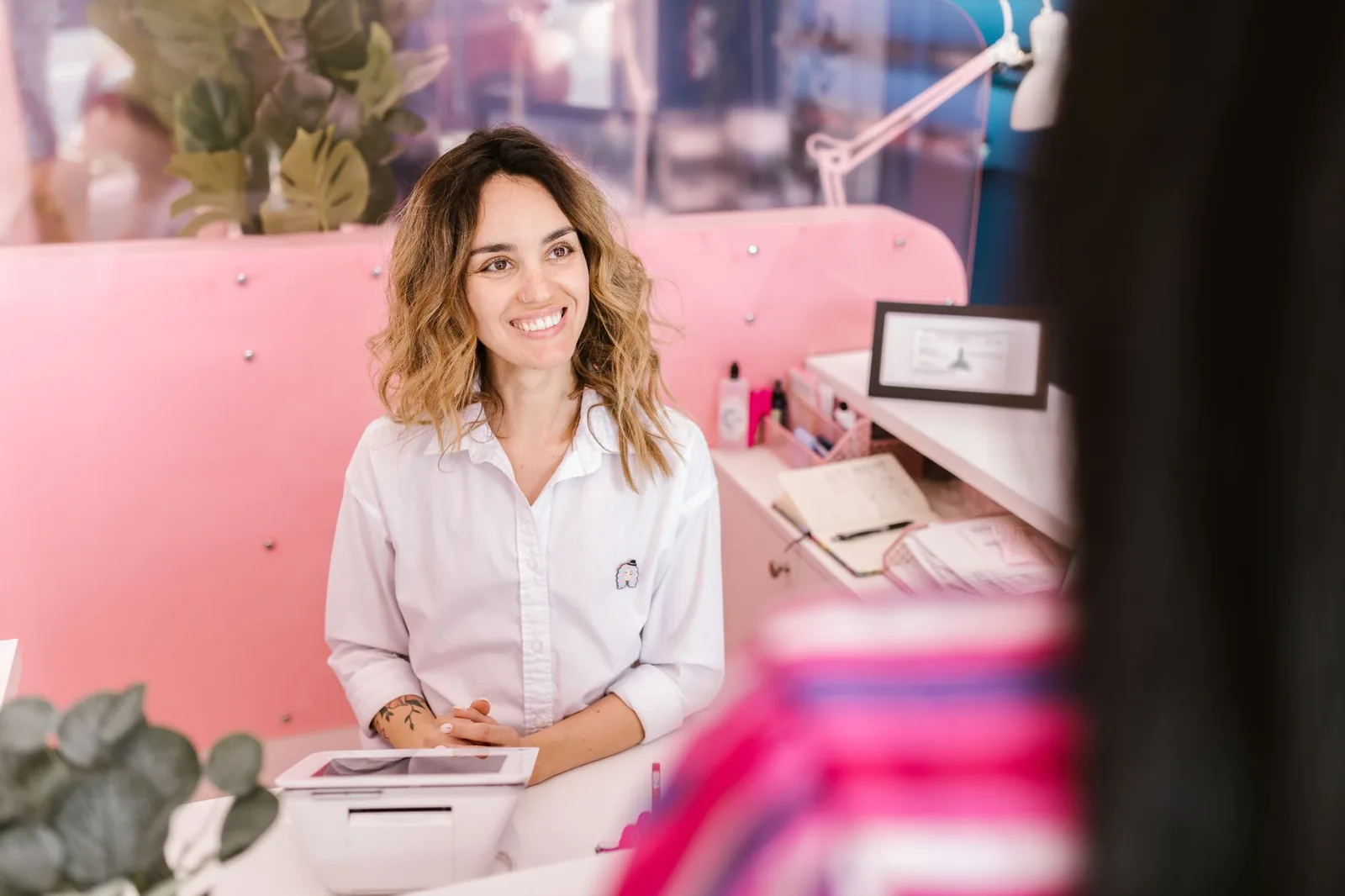
It's Tuesday morning and your first client is in the chair. Your phone lights up seven times before 10 a.m. — three rebooks, two cancellations, one "quelle est votre adresse déjà?", and a wrong number. Meanwhile, the 3 p.m. slot that just opened up sits empty because nobody had time to fill it. If that sounds like your week, the booking app you choose in 2026 is going to make or break your quality of life at the chair.
Below is what actually matters when you compare booking apps for a hair salon, barbershop, or beauty studio in Québec — the real criteria, not the marketing checklist. I'll walk through what to look for, how it plays out day-to-day for an independent stylist versus a multi-chair salon, and the small details that separate an app you'll still use in a year from one you'll rip out in three months.
The one thing that has to work: real-time availability
Real-time availability means the booking page shows exactly what your calendar shows, at the second the client is looking. Not "we sync every 15 minutes." Not "we pull from Google Cal overnight." If a client books 2 p.m. Saturday and your calendar already had a color at 2 p.m. Saturday, you have a double-booking — and you have an angry client.
This sounds obvious. It's the single most broken thing in cheap booking tools. Here's what to test before you commit:
- Book a fake appointment on your public page. Does your internal calendar update instantly, before you refresh?
- Block off a slot manually (lunch, personal errand). Does that slot disappear from the public page instantly?
- Have a friend try to book the same slot at the same second on their phone while you book it on yours. Only one should win. The other should get a clean "no longer available" message, not a silent double-book.
For a solo stylist, real-time availability means you can accept a walk-in without panic — you know the online page has already closed that slot. For a multi-chair salon, it means Stylist A's schedule doesn't accidentally offer a color service at 4 p.m. when Stylist B, the only colorist, is booked solid.
Red flag: if the app talks about "sync intervals" instead of "real-time." That's a hint the calendar is a copy, not the source of truth.
Automatic reminders — and specifically SMS
No-shows are the single biggest silent tax on a salon. A missed 90-minute balayage isn't just lost revenue; it's a stylist standing there, paid rent, paid hydro, no client. Automatic SMS and email reminders are the cheapest, highest-return feature in any booking app.
What to look for specifically:
- SMS reminders, not just email. In Québec, clients read texts. Emails go to spam or the promotions tab. If the app is email-only, walk away.
- Timing you control. A reminder 48 hours out (so they can cancel and you can refill) plus a reminder 2-3 hours out (so they actually show up) is the combination that works. One reminder isn't enough.
- Confirmation reply. Client should be able to confirm or cancel from the text itself. If they have to log back into a portal, they won't.
- Bilingual out of the box. In Montréal especially, half your book might prefer English, half French. The reminder needs to match the client's language, not yours.
A concrete example: an independent stylist I know went from 4-5 no-shows a week to under 1 by adding a 24-hour SMS with a "répondre OUI pour confirmer" option. That's roughly a full extra day of revenue per month, from one setting.
Watch for: apps that charge per SMS on top of the subscription. Fine if the price is reasonable, but do the math on 300 reminders a month before you sign.
Waitlist and last-minute openings
The waitlist is the feature nobody talks about in the demo and everybody wishes they'd asked about six months in. When a client cancels 3 hours before their appointment, you have two choices: eat the loss, or fill the slot in the next 30 minutes. Only software can fill it in 30 minutes.
A useful waitlist works like this:
- Clients who couldn't get their preferred slot ask to be notified if it opens.
- When someone cancels, the app pings the waitlist — SMS or push — with the freed slot.
- First to confirm gets it. The rest are quietly released.
For a solo barber, this is how the 6 p.m. Friday slot that just opened at 4 p.m. gets filled by 4:15 instead of staying empty. For a multi-chair salon, it's how you keep the color chair earning even when your Tuesday client got the flu.
Look for a waitlist that's tied to specific stylists and services, not a generic "notify me when anything opens." A client waiting for a specific colorist doesn't want to be pinged about a men's cut.
A real client database, not a contact list
Every app claims a "CRM." Most just save name and phone number. That's a contact list. A real client database gives you:
| What to look for | Why it matters at the chair |
|---|---|
| Full visit history | You know they came in 6 weeks ago for a root touch-up before you ask |
| Services + formulas | The colorist behind you tomorrow can pick up where you left off |
| Notes and preferences | "Hates the smell of that shampoo" — you shouldn't have to remember |
| Contact preferences | Text-only vs. email, French vs. English |
| No-show / late history | You can flag a repeat offender and require a deposit next time |
The test: pretend a client hasn't been in for 8 months. Open their profile. Can you, in 10 seconds, tell what she had done, what she paid, and what her stylist noted? If yes, that's a database. If no, you're using a fancy address book.
For an independent stylist building a book, this is how you make a client feel remembered when you have 400 people in your contacts. For a multi-chair salon, it's how a client can see a different stylist on a busy Saturday and still get a "personalized" service — the notes are in the file, not just in one stylist's head.
Staff scheduling that respects real life
If you have even one other stylist, this section is where 80% of cheap apps fall apart. Each stylist needs their own working hours, their own service menu, their own price list (potentially), and their own days off. The booking page needs to reflect all of that automatically.
Concrete requirements for a 3-chair salon:
- Stylist A does color, cuts, and blow-dries. Stylist B does cuts only. The public booking page should never offer a color with Stylist B.
- Stylist A works Tue-Sat. Stylist C works Wed-Sun. The calendar should never book Stylist A on a Monday.
- Stylist B is off next Thursday for a training. Booking that Thursday morning should show only Stylist A and C.
- If a service takes 45 min with Stylist A and 60 min with Stylist B (because B is newer), each duration should reflect on the calendar and on the booking page.
Ask the vendor to walk you through this exact scenario in the demo. If they hedge or say "well, you can work around it," it doesn't do it properly.
Reports that answer a question, not just show numbers
A dashboard with a big number that says "$18,400" is a poster. A useful report answers: which stylist earned that, doing what, and which day of the week was worst?
Minimum you want to see monthly:
- Revenue by stylist (obvious, and the one everyone wants first)
- Revenue by service category (are the cuts subsidizing the colors or vice versa?)
- Booking rate per stylist (empty-chair hours you're paying rent for)
- No-show and cancellation rate (per client, per stylist)
- New vs. returning clients (are you actually growing, or just churning?)
For a solo, one clean revenue-by-service view is often enough. For a 2+ chair salon, per-stylist reporting is how you have honest conversations at the end of the quarter — "your book is 60% booked, hers is 92%, let's talk about why."
The details nobody demos but you'll live with daily
A short list of small things that quietly matter more than the big features:
- Deposits or card-on-file. For high-value services (color, extensions), being able to require a deposit at booking cuts no-shows dramatically. Ask if the app supports it and what the payment processor fees look like.
- Loyalty that runs itself. Manual punch cards get lost. An automatic loyalty program tied to visit history — "10th visit is 20% off" or similar — retains clients without you doing anything.
- Multiple locations, one login. If you're planning a second location in the next two years, don't pick software that forces two separate accounts. Check the multi-location view now, even if you don't need it yet.
- Client-facing booking page you can actually customize. Your salon name, your photos, your service descriptions in your voice — not a generic template with the vendor's logo bigger than yours.
- Data export. Can you download your client list as a CSV? If not, you don't own your book — the vendor does. That's a deal-breaker.
- Support in French. In Québec, when something goes wrong on a Saturday afternoon, you don't want to be arguing in a second language with a chat bot in another time zone.
Common mistakes when choosing
A few traps I see salon owners fall into:
- Choosing on price alone. Free tools cost you no-shows, empty chairs, and a book you can't export. Do the math on what one recovered no-show a week is worth.
- Choosing on the demo, not the trial. Everything looks great in a scripted demo. Insist on a real free trial where you enter your own services, your own hours, and take one real booking.
- Not testing on mobile. 70%+ of your clients will book on their phone. If the booking flow is more than 4 taps, you're losing bookings you'll never know about.
- Ignoring the migration. Moving 800 clients from paper or from another app is real work. Ask specifically how the vendor helps you import — spreadsheets, past visit history, notes.
- Buying features you don't need yet. If you're solo, you don't need enterprise multi-location reporting. Pick something that scales with you, but don't pay for empty rooms.
Where Stylera fits in
Stylera is one option worth putting on the shortlist if the criteria above are what you care about. The 24/7 booking page runs off real-time stylist availability — same source as your internal calendar — so a Saturday 2 p.m. that just filled in-app is closed on the public page in the same second. Automatic SMS and email reminders handle the no-show battle, the waitlist and last-minute booking flow fills the chair when a cancellation lands, and each stylist gets their own services, hours, and schedule so the booking page only ever offers what's actually possible.
The client database keeps visit history, services, preferences, and notes on one profile, and the loyalty rewards run automatically off that same history. Reports cover revenue, bookings, and per-stylist performance — the numbers you actually manage by — and if you run more than one location, you can see each of them from one account. Not every salon needs every piece, but if the shortlist above is your shortlist, it's worth a look.
Wrapping up
The best booking app in 2026 isn't the one with the flashiest dashboard. It's the one that closes a slot the instant a client books it, texts them the day before so they show up, refills the chair when they don't, and remembers who they are the next time they come in. Everything else is decoration.
Test two or three seriously — not a scripted demo, but a week of real bookings, real reminders, real clients on the couch scrolling their phone. If Stylera lines up with what you need, give it a free try with your own services and hours and see how it holds up on a Saturday. The chairs will tell you the truth pretty quickly.
Questions fréquentes
Pourquoi la disponibilité en temps réel est-elle si importante dans une application de réservation pour salon de coiffure?
La disponibilité en temps réel signifie que la page de réservation en ligne affiche exactement ce que montre votre calendrier, à la seconde près, sans délai de synchronisation. C'est essentiel pour éviter les doubles réservations : si votre outil « synchronise aux 15 minutes », un client peut réserver une plage déjà occupée. Pour tester, essayez de réserver un rendez-vous fictif et vérifiez que votre calendrier interne se met à jour instantanément, sans rafraîchir. Méfiez-vous des applications qui parlent d'« intervalles de synchronisation » plutôt que de « temps réel » — c'est un signe que le calendrier est une copie, pas la source de vérité.
Quels types de rappels automatiques une application de réservation devrait-elle offrir pour réduire les no-shows?
Une bonne application doit envoyer des rappels par SMS (pas seulement par courriel, qui finit souvent dans les pourriels) avec un horaire que vous contrôlez : idéalement un rappel 48 heures avant le rendez-vous et un autre 2 à 3 heures avant. Le client doit pouvoir confirmer ou annuler directement depuis le texto, sans se reconnecter à un portail. Au Québec, les rappels doivent aussi être bilingues automatiquement, selon la langue préférée du client. Un simple rappel SMS 24 heures avant peut faire passer les no-shows de 4-5 par semaine à moins de 1, soit environ une journée complète de revenus récupérée par mois.
Comment fonctionne une liste d'attente efficace dans une application de prise de rendez-vous?
Une liste d'attente efficace permet aux clients qui n'ont pas obtenu leur plage préférée de s'inscrire pour être avertis si elle se libère. Lorsqu'une annulation survient, l'application envoie automatiquement un SMS ou une notification aux personnes en attente, et le premier à confirmer obtient la place. La liste doit être liée à un(e) styliste et un service précis, pas à une notification générique — une cliente qui attend une coloration ne veut pas être avisée d'une plage pour une coupe homme. C'est ainsi qu'une plage libérée à 16 h peut être remplie avant 16 h 15, au lieu de rester vide.
Quelle est la différence entre une vraie base de données clients et une simple liste de contacts?
Une liste de contacts se limite au nom et au numéro de téléphone, tandis qu'une vraie base de données clients contient l'historique complet des visites, les services rendus, les formules de coloration utilisées, les notes et préférences personnelles, les préférences de communication (SMS/courriel, français/anglais), ainsi que l'historique des no-shows ou retards. Le test simple : ouvrez le profil d'une cliente qui n'est pas venue depuis 8 mois — si vous pouvez voir en 10 secondes ce qu'elle a fait faire, ce qu'elle a payé et les notes du styliste, c'est une vraie base de données. Sinon, c'est un carnet d'adresses déguisé. C'est ce qui permet à un autre styliste de reprendre le service sans que la cliente se sente comme une inconnue.
Combien coûtent réellement les SMS dans une application de réservation pour salon?
Plusieurs applications facturent les SMS en surplus de l'abonnement mensuel, ce qui peut faire grimper la facture rapidement. Avant de signer, calculez votre volume réel : si vous envoyez environ 300 rappels par mois (un rappel 48 h + un rappel 2-3 h par rendez-vous), multipliez ce chiffre par le tarif par SMS annoncé. Certaines plateformes incluent un forfait de textos dans leur prix, d'autres facturent chaque envoi individuellement. Un tarif raisonnable est acceptable, mais assurez-vous de connaître le coût total mensuel — abonnement + SMS + frais bilingues éventuels — avant de vous engager.